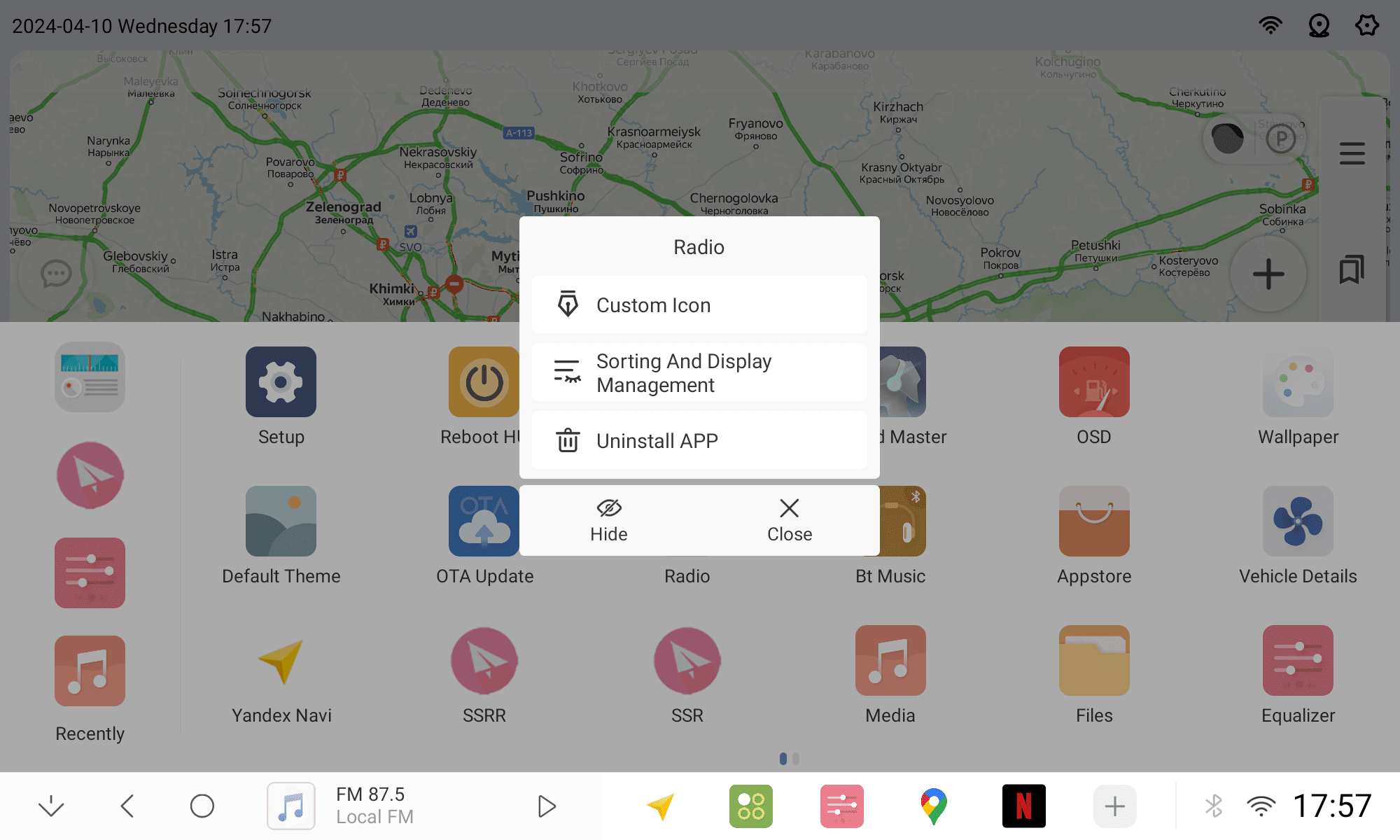
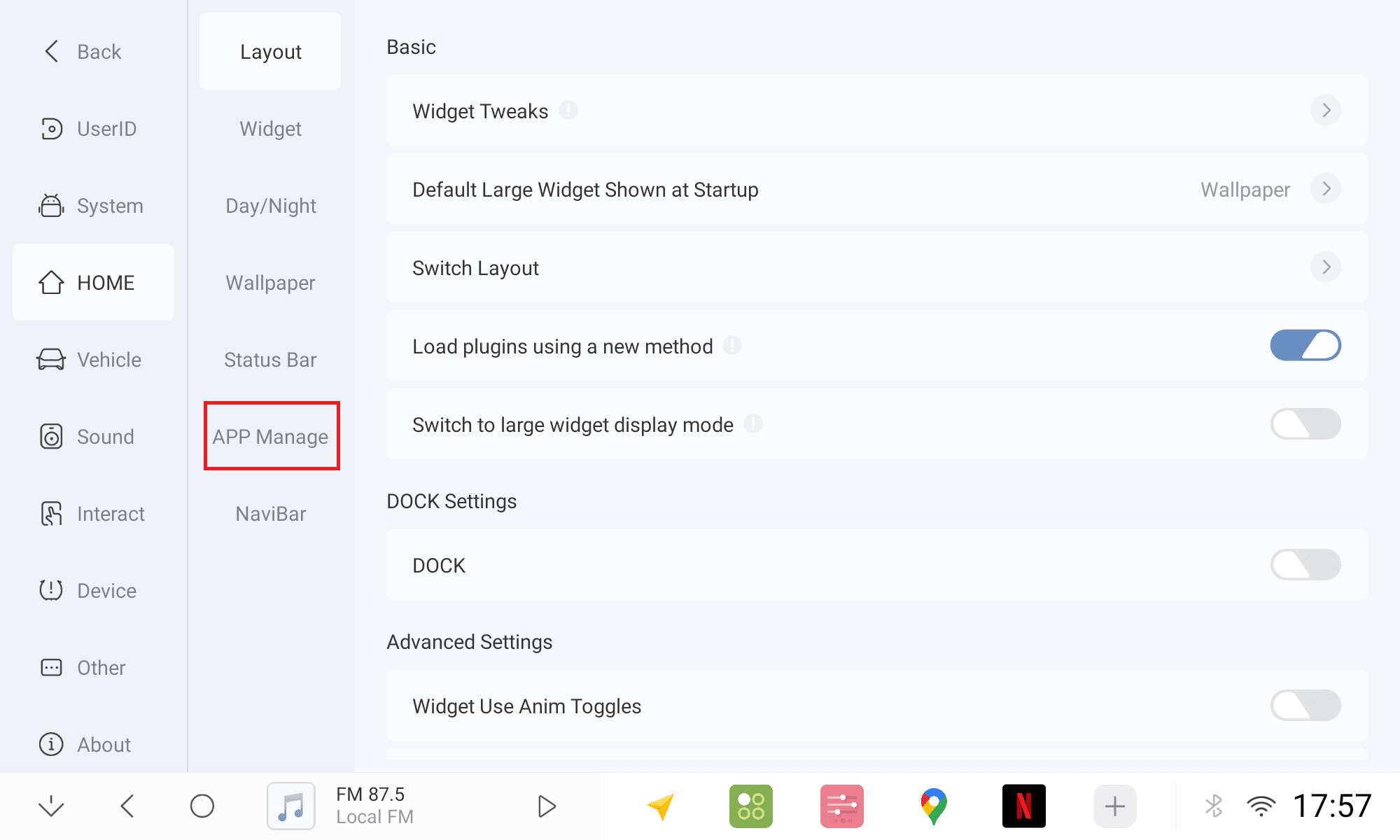
Two ways to open APP management
Long press on any application in the list to select sorting and display management
In Settings, choose APP Management
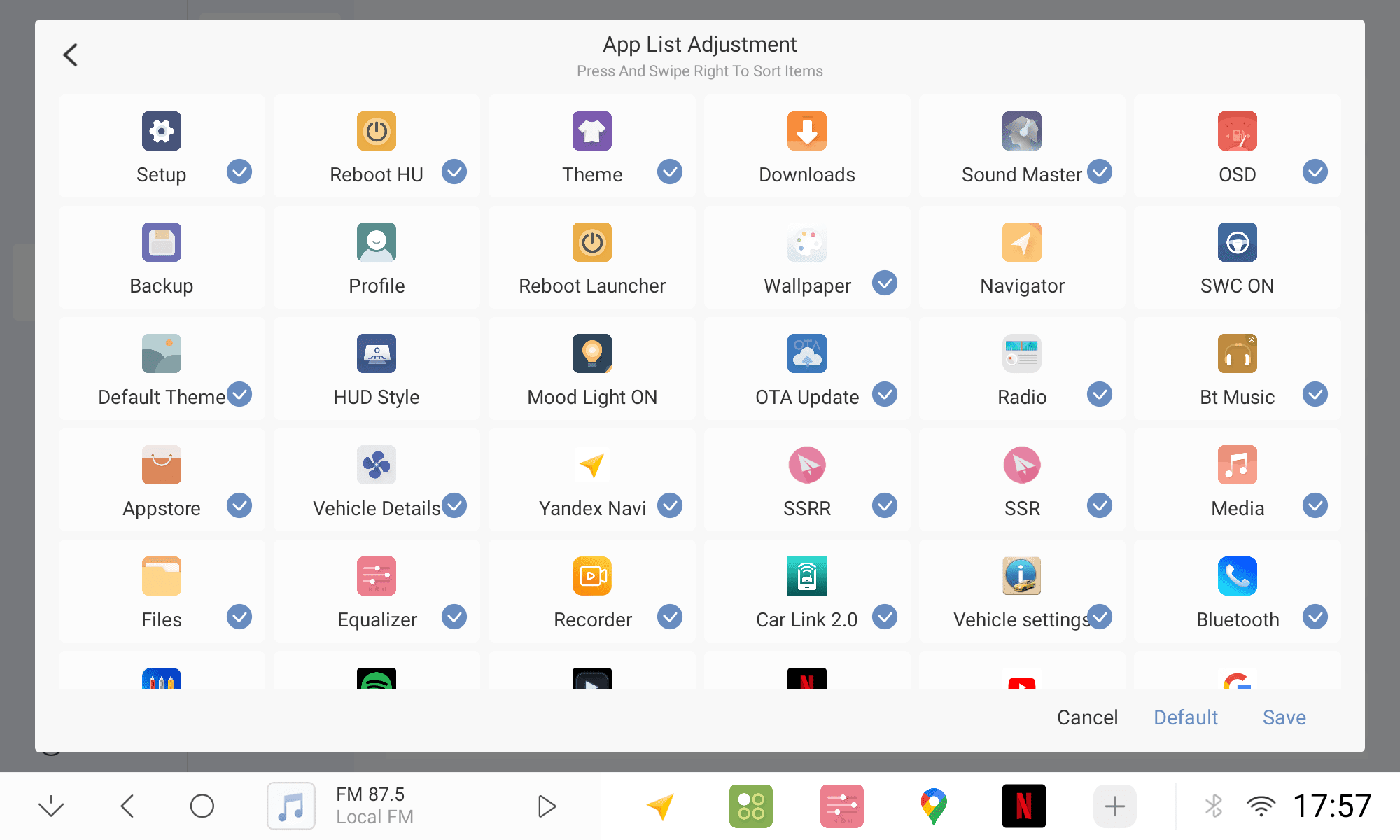
Drag the APP to adjust the sorting, tick to show the app in the list/uncheck to hide it
Click save and Confirm after adjusting
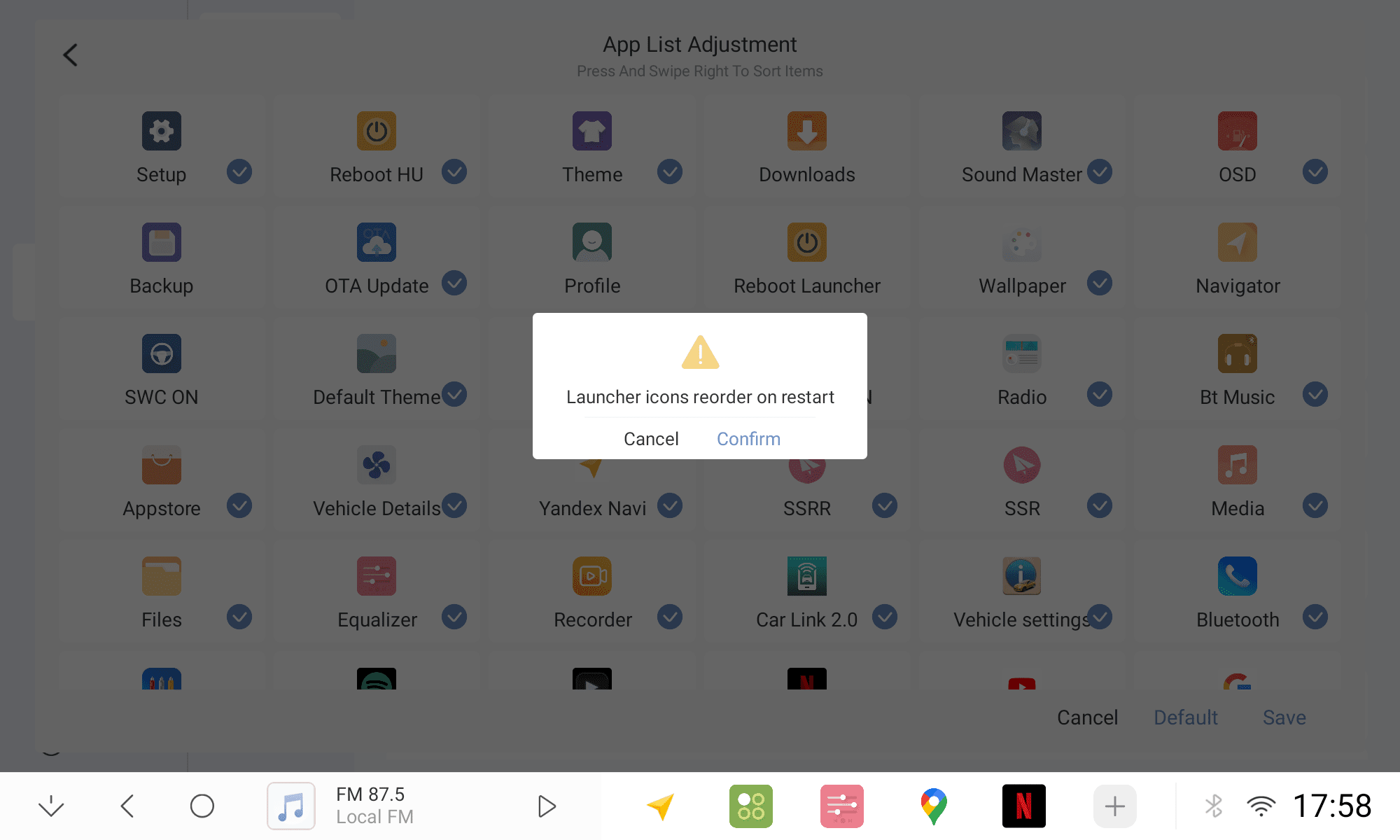
Finish