【1】Installation Precautions
- Non-professionals should not attempt installation to avoid damage to the device or accidents.
- Test the light strips before installation. Only proceed with installation if testing is successful to avoid reinstallation.
- Handle removed decorative panels and components with care to prevent scratching the dashboard or vehicle interior.
- All internal wiring must be properly insulated and secured to prevent short circuits.
- Ensure wiring does not interfere with movable control components such as the steering column, accelerator, and brake pedals.
- Always install wiring harnesses and control boxes with the vehicle powered off to prevent damage from hot-plugging.
- Install light strips and footwell lights according to your specific vehicle configuration. The positions shown in this guide are for reference only.
【2】Common Problems and Solutions
Main control box lights not working
- Verify 12V power supply - measure voltage between black (GND) and red (power) wires (should be 9-16V)
- Switch from chassis ground to wire ground connection
- Check light connector and replace light if necessary
Auxiliary box lights not working
- Verify 12V power supply - measure voltage between black (GND) and red (power) wires (should be 9-16V)
- Switch from chassis ground to wire ground connection
- Check light connector and replace light if necessary
- Manually re-pair ambient lights (via mobile app)
Door lights don't synchronously turn off when ACC is off
Solution: Use consistent power source for all four doors - either all constant 12V or all ACC 12V
Abnormal light color/brightness
Solution: Check wiring connections and replace light strip/head if necessary
Pairing interference when installing multiple vehicles in close proximity
- Complete first vehicle's pairing and keep ACC on or ambient lights working before pairing second vehicle
- Maintain minimum 60-meter distance between vehicles during pairing
【3】Main Control Wiring and Power Connection Guide
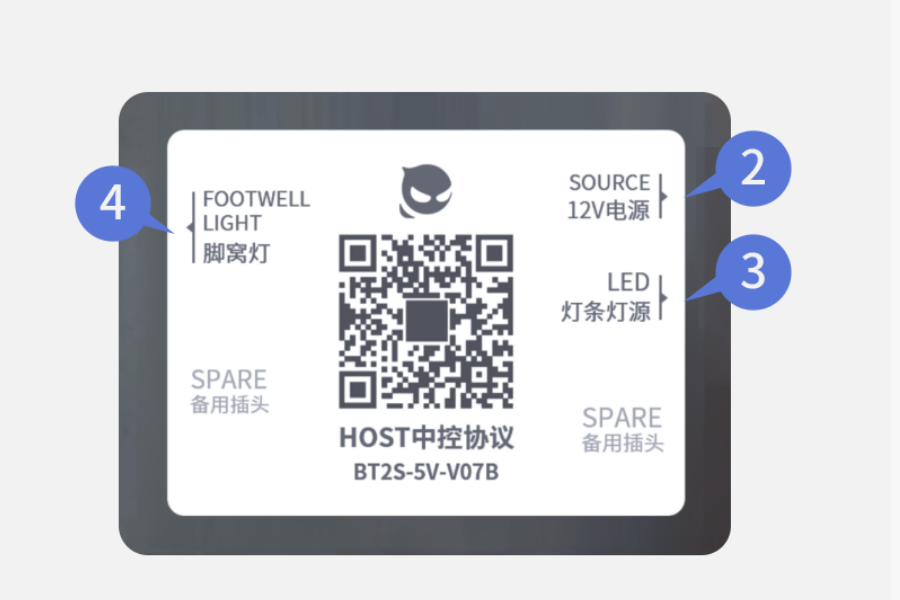
Central Control Protocol Wiring
【2P】 connector: 12V power supply
Black wire (GND): Connect to ground/chassis
Red wire (+12V): Connect to vehicle ACC
【3P】 connector: Light strip sourceConnect split power cable to driver's side (25cm) and passenger side (90cm) strips
【4P】 connector: Front footwell lights
Connect split power cable to driver and passenger footwell lights
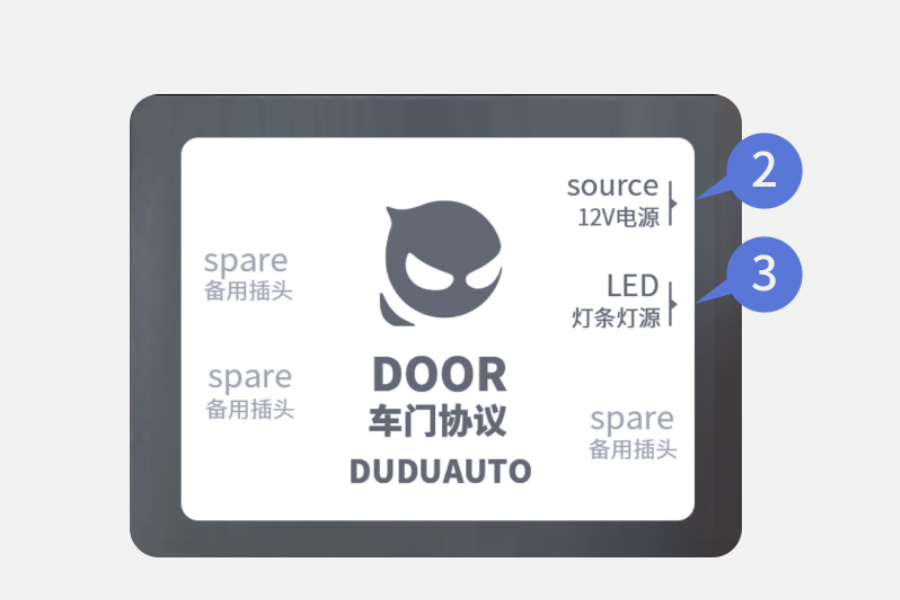
Additional set of connectors:
【2P】 connector: 12V power supply
Black wire (GND): Connect to ground/chassis
Red wire (+12V): Connect to ACC or constant 12V
Note: Use consistent power source for all doors
【3P】 connector: Connect to door light strips (75cm)
【4】Light Strip Instructions
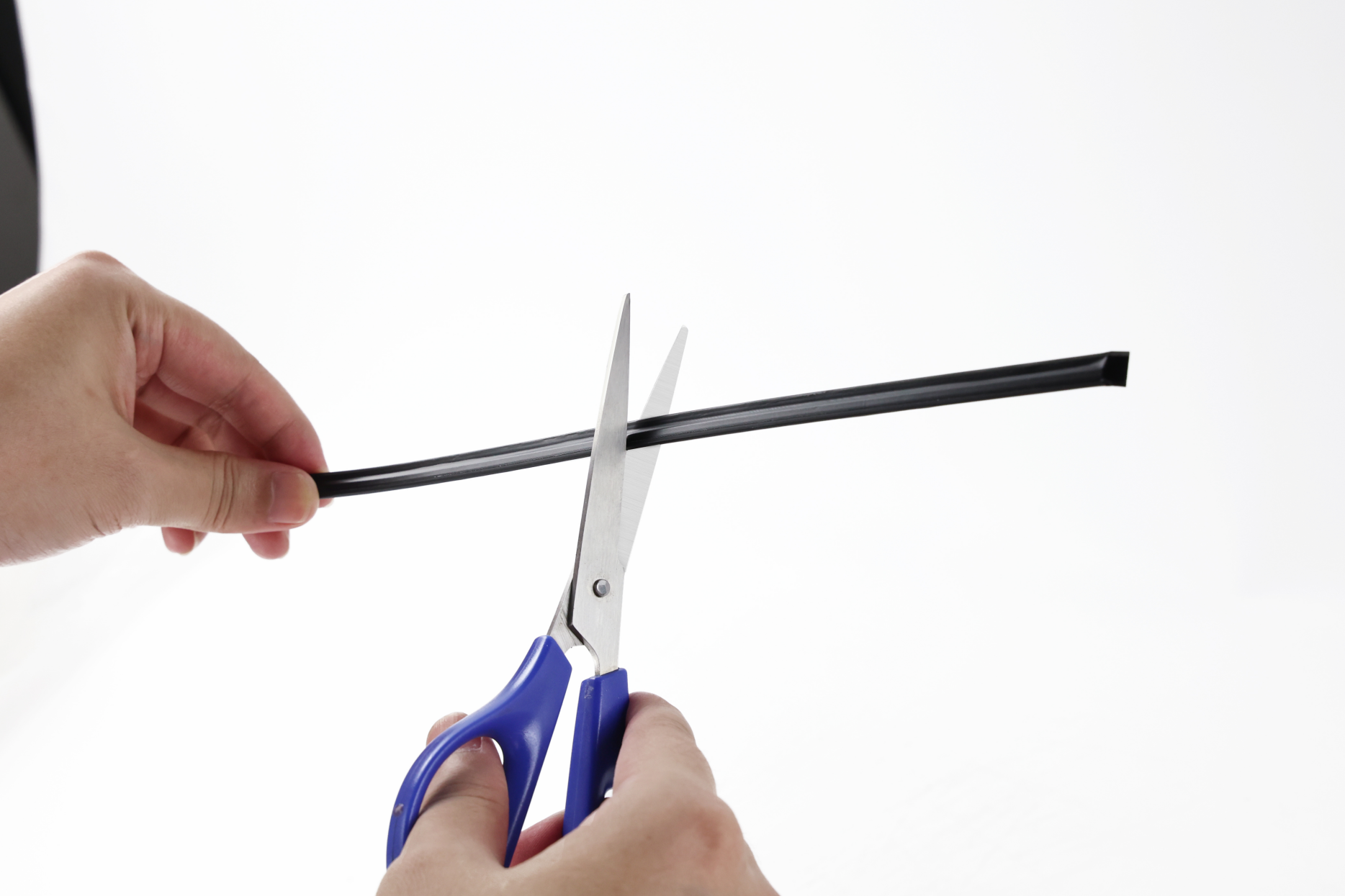
- Light strips can be cut to size, but only cut between LED beads - never cut through the LEDs themselves
- Do not force light strips into gaps. Use proper tools like pry bars to open gaps. Forcing may damage LEDs and prevent illumination
- Avoid sharp 180-degree bends in light strips. Over time, this can break internal wiring and cause failure
【5】Recommended Installation Positions (Varies by vehicle model - refer to actual vehicle. Following positions are for reference only)
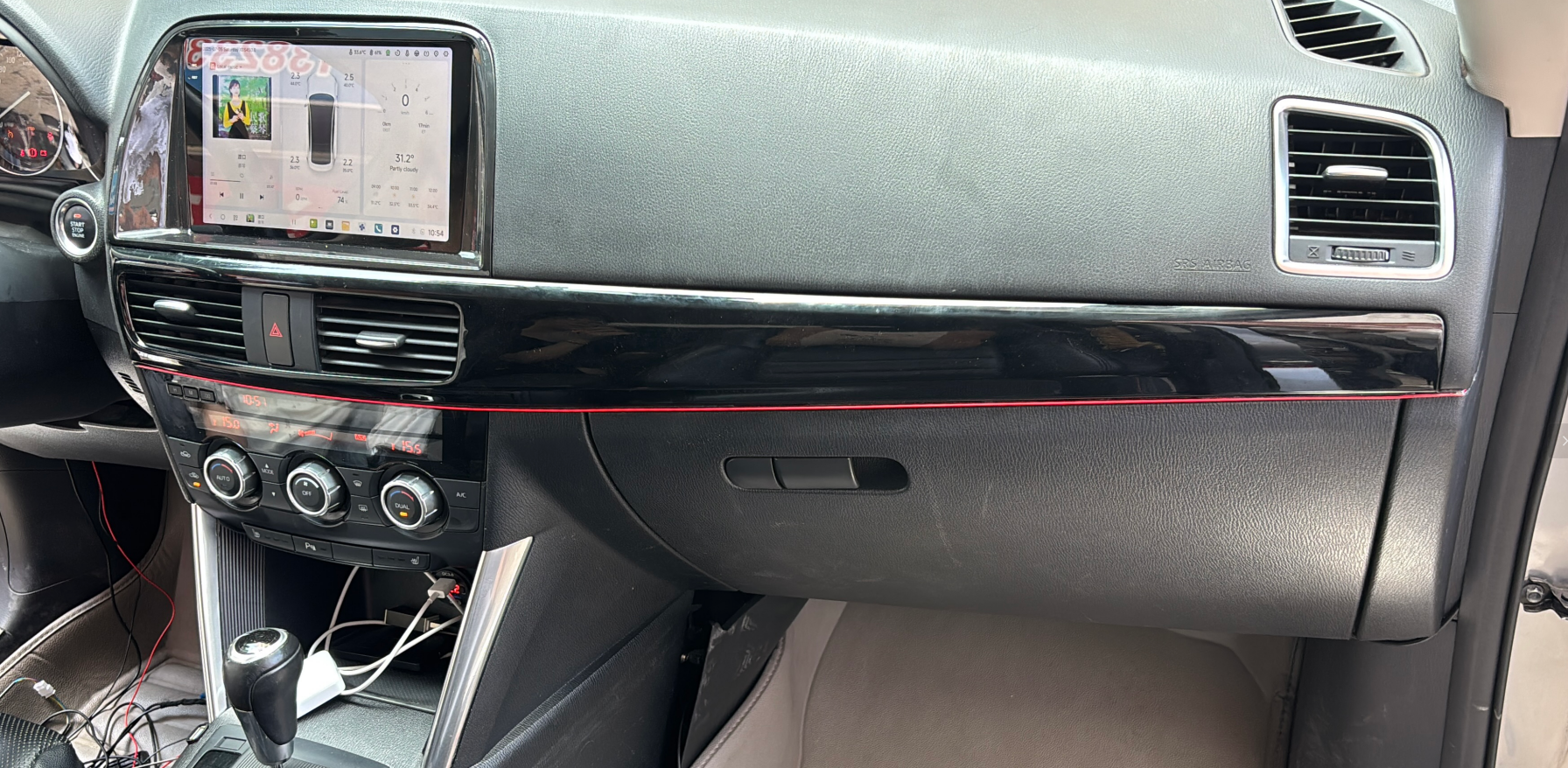
Passenger seat position
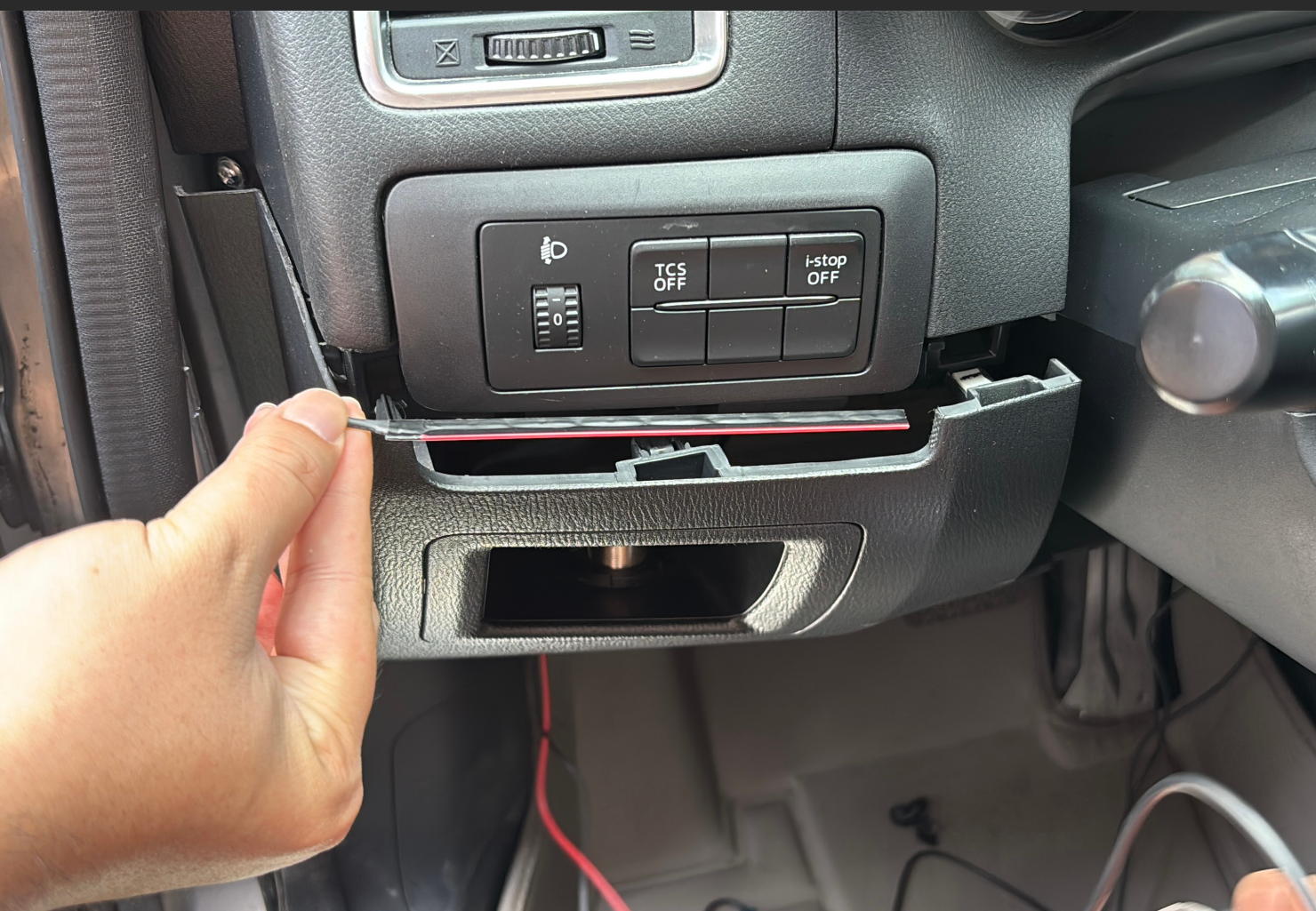
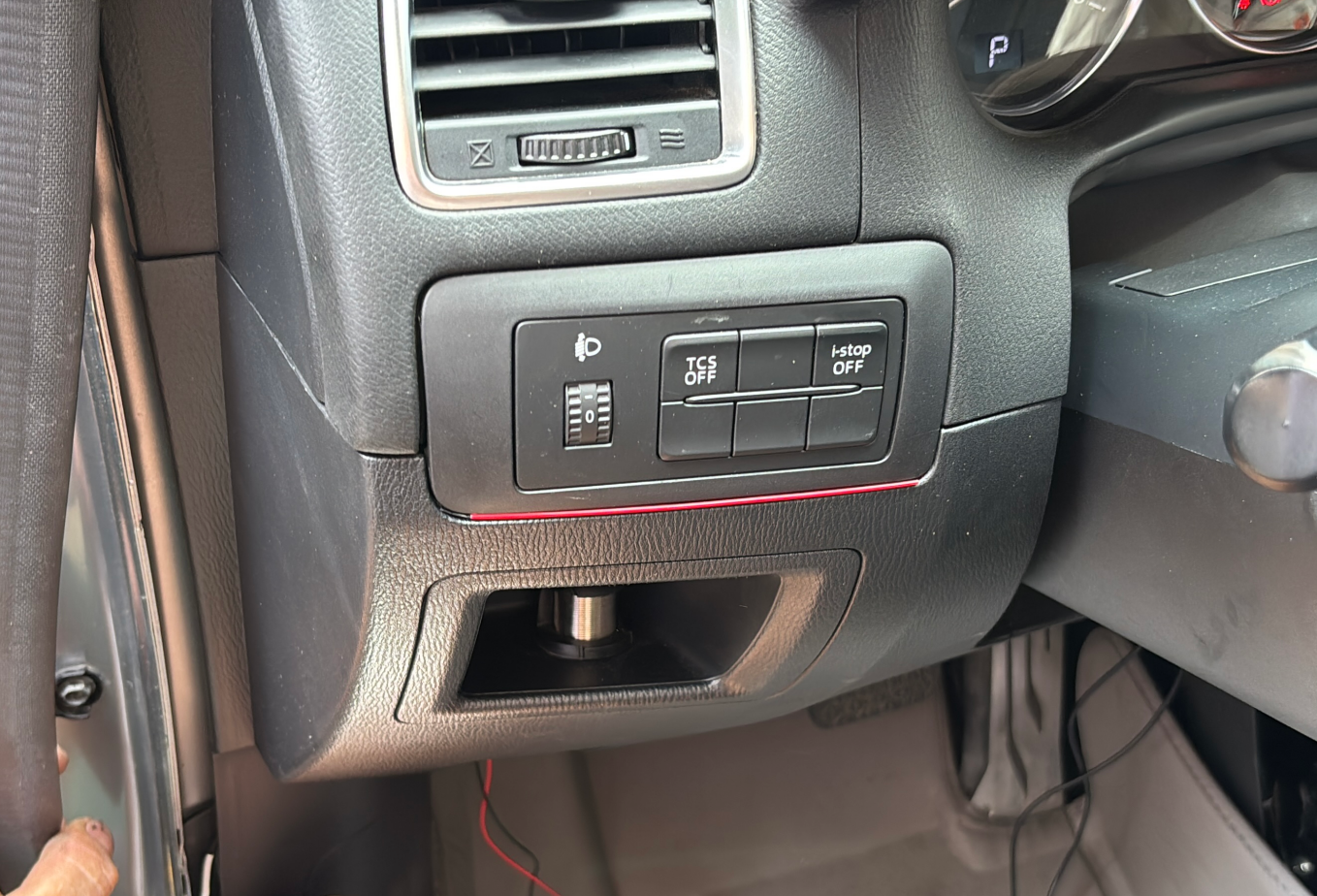
Driver's seat (use 3M adhesive if no gaps available)
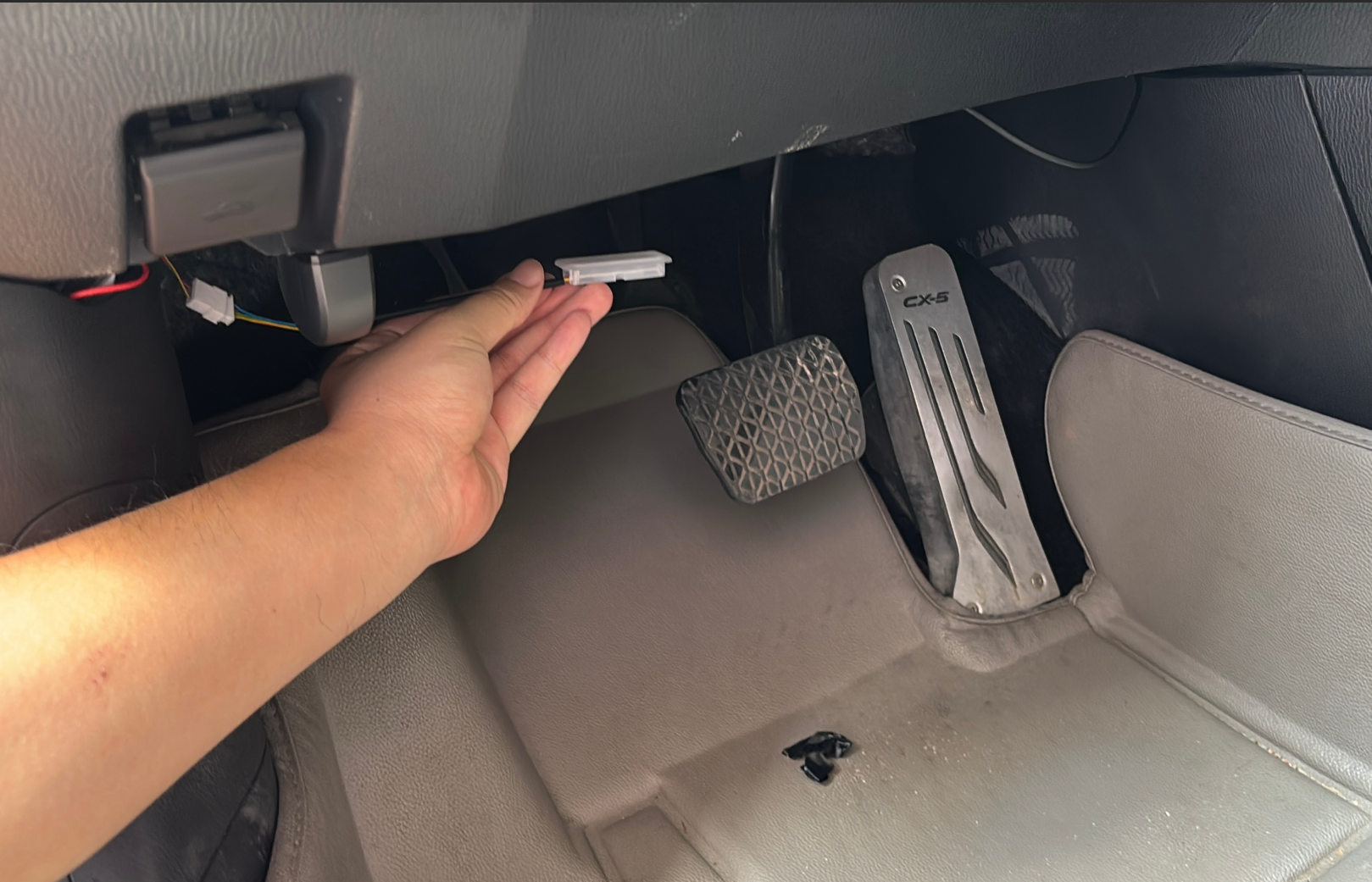
Footwell lights (secure with 3M adhesive or wire ties)
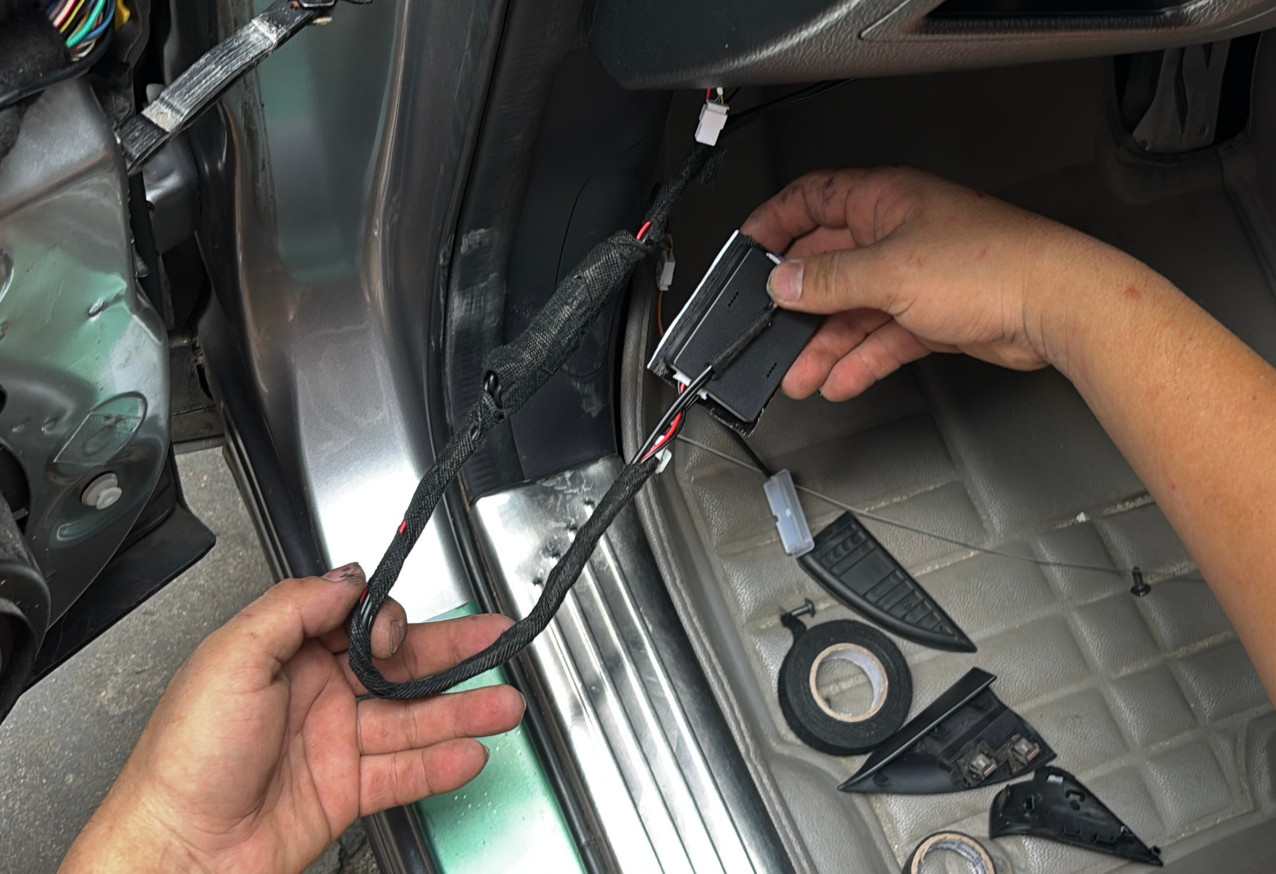
Door installation position
Note: Some older vehicles lack door power sources - separate wiring to alternative power source may be needed
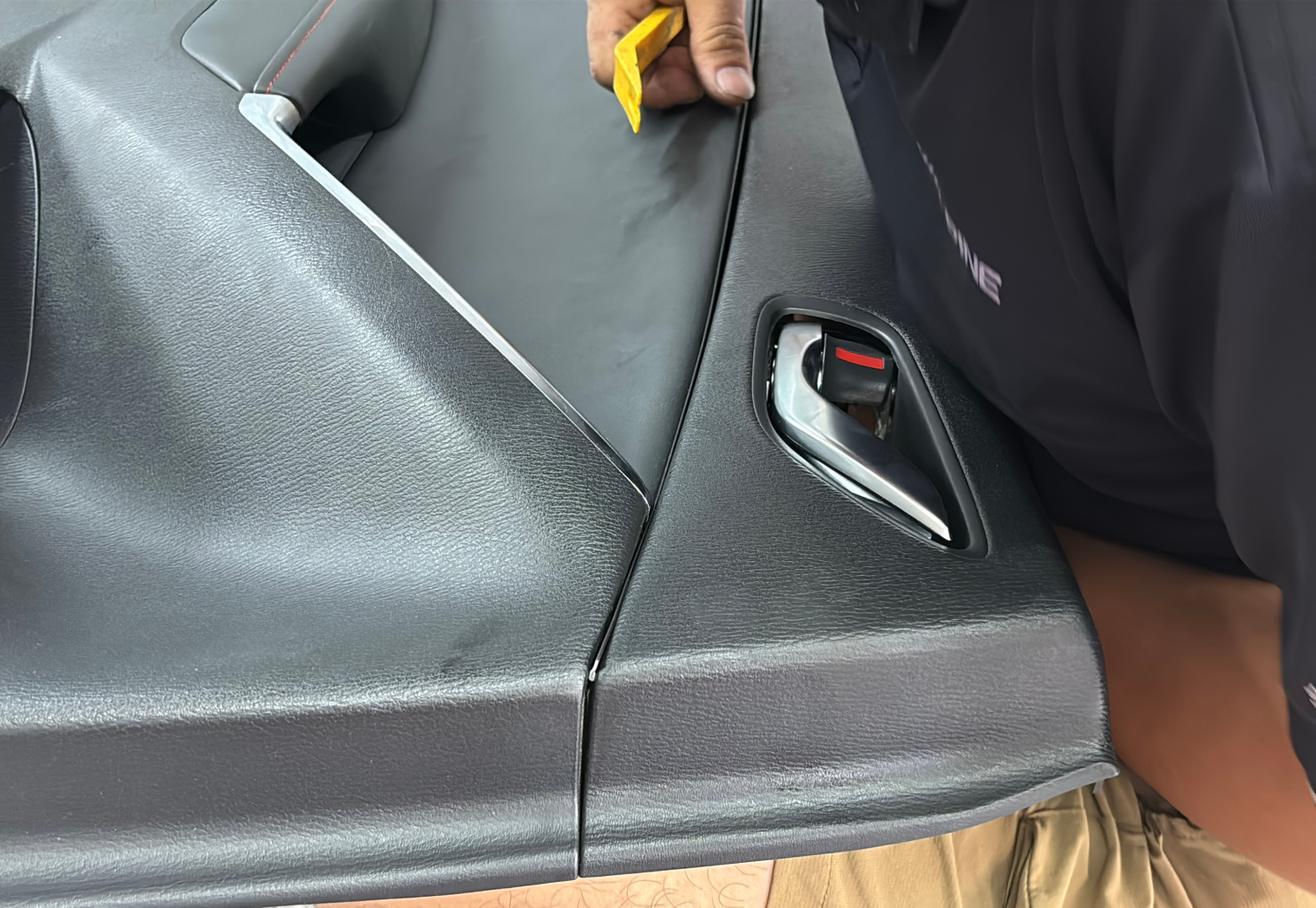
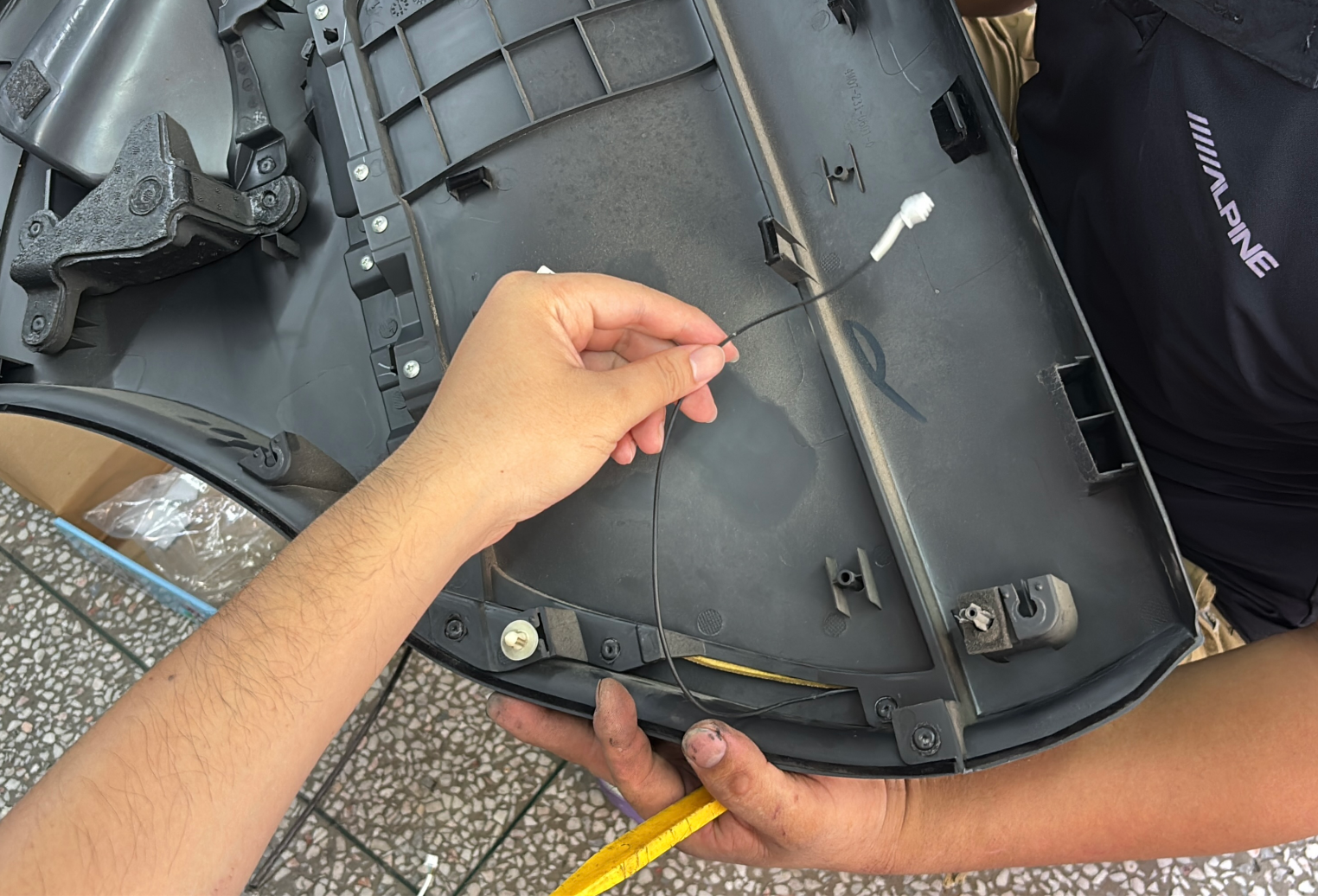
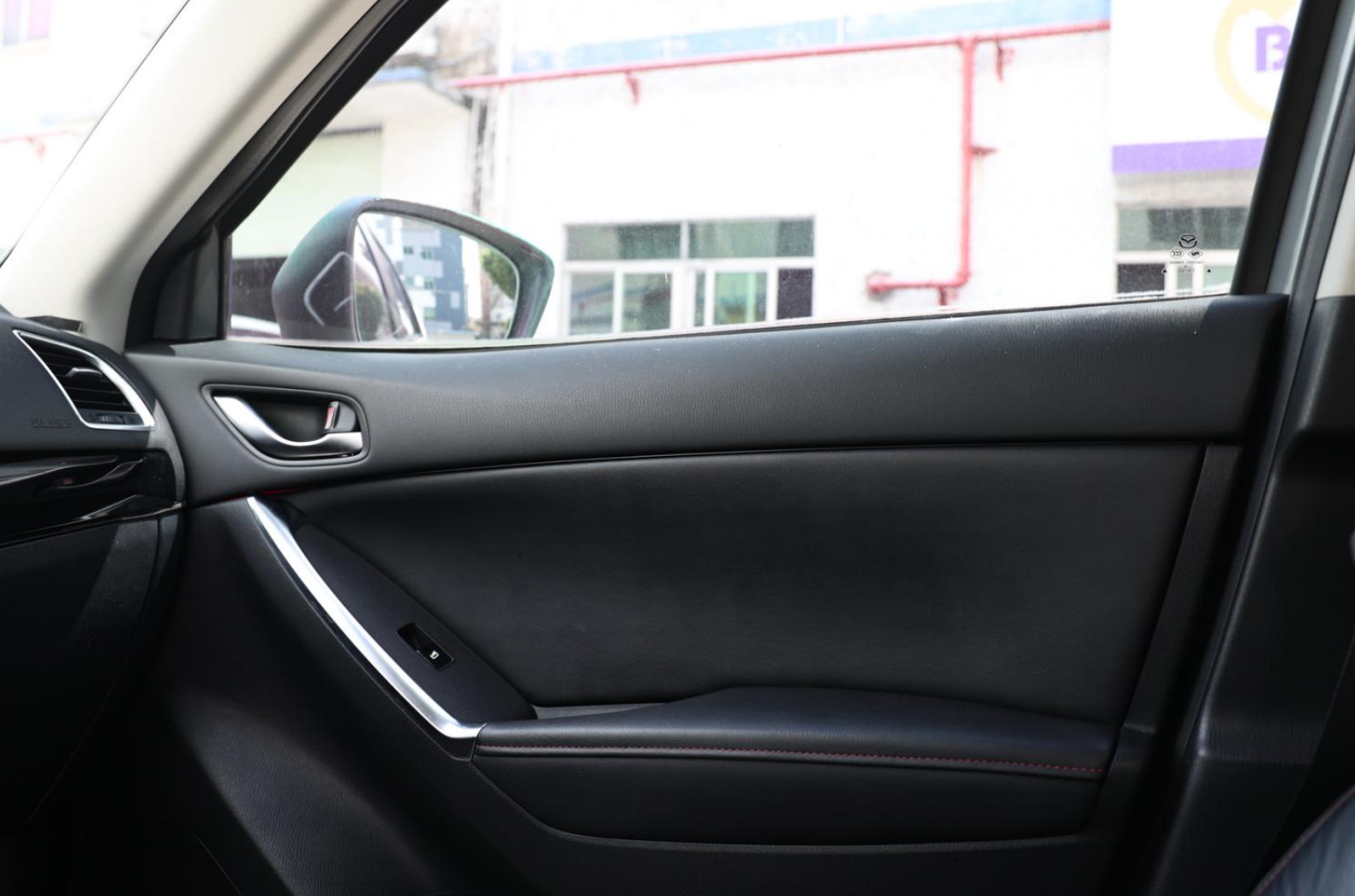
Recommended power sources: Door: Door handle connector (verify 12V)
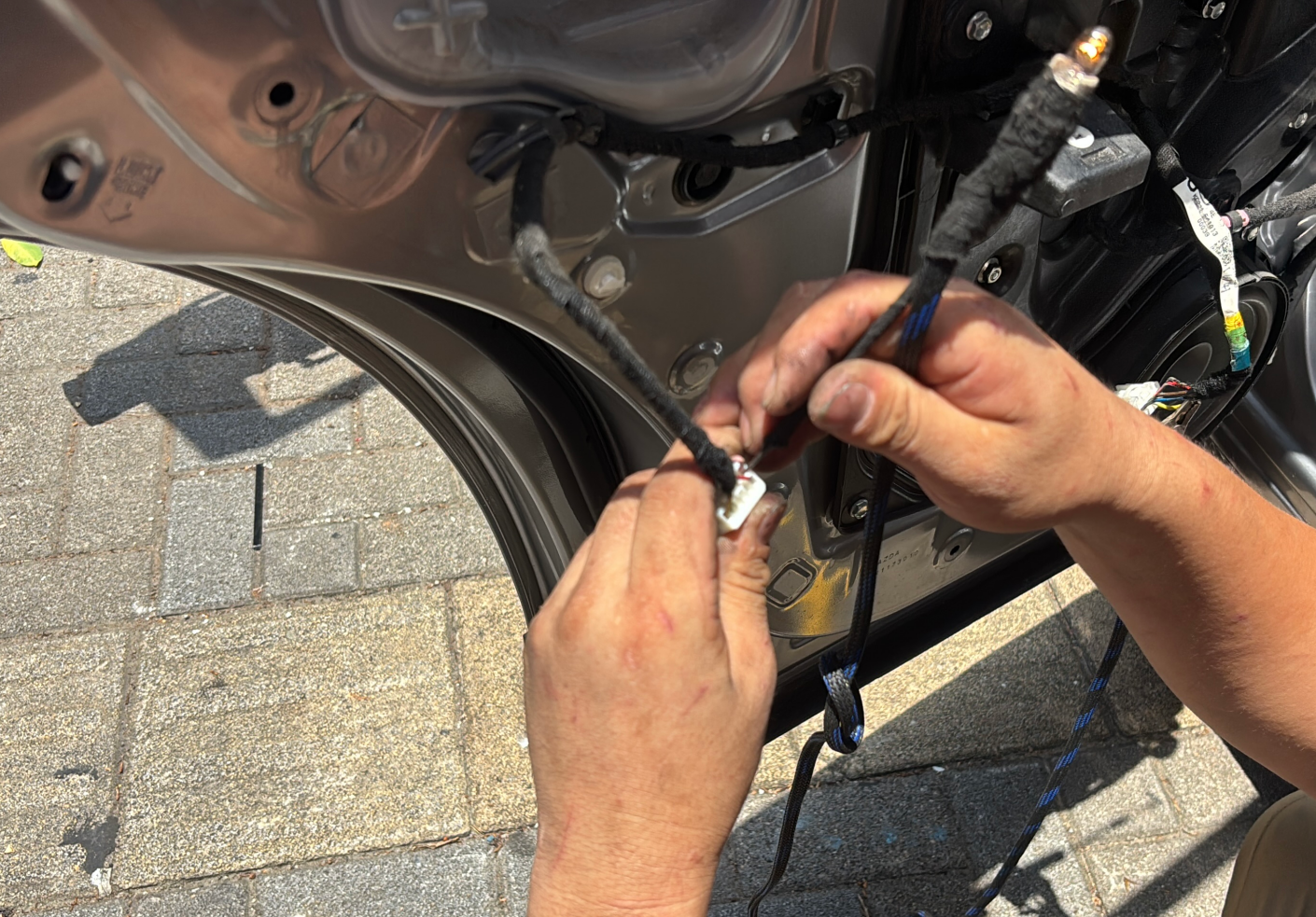
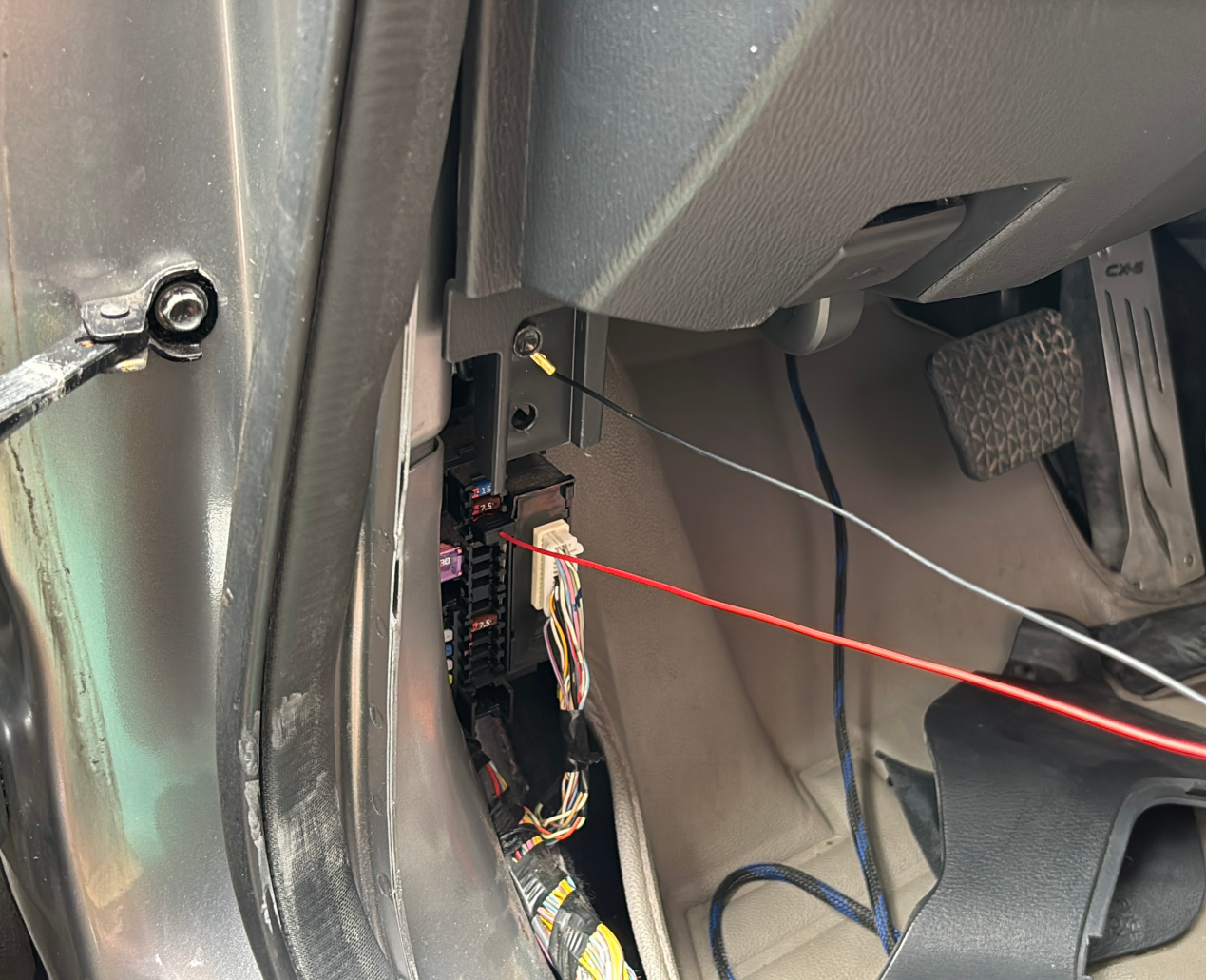
Central control: head unit ACC or fuse box (verify 12V)
Wrap all control boxes and wiring with felt tape for insulation and securing
【6】Head unit Control Instructions
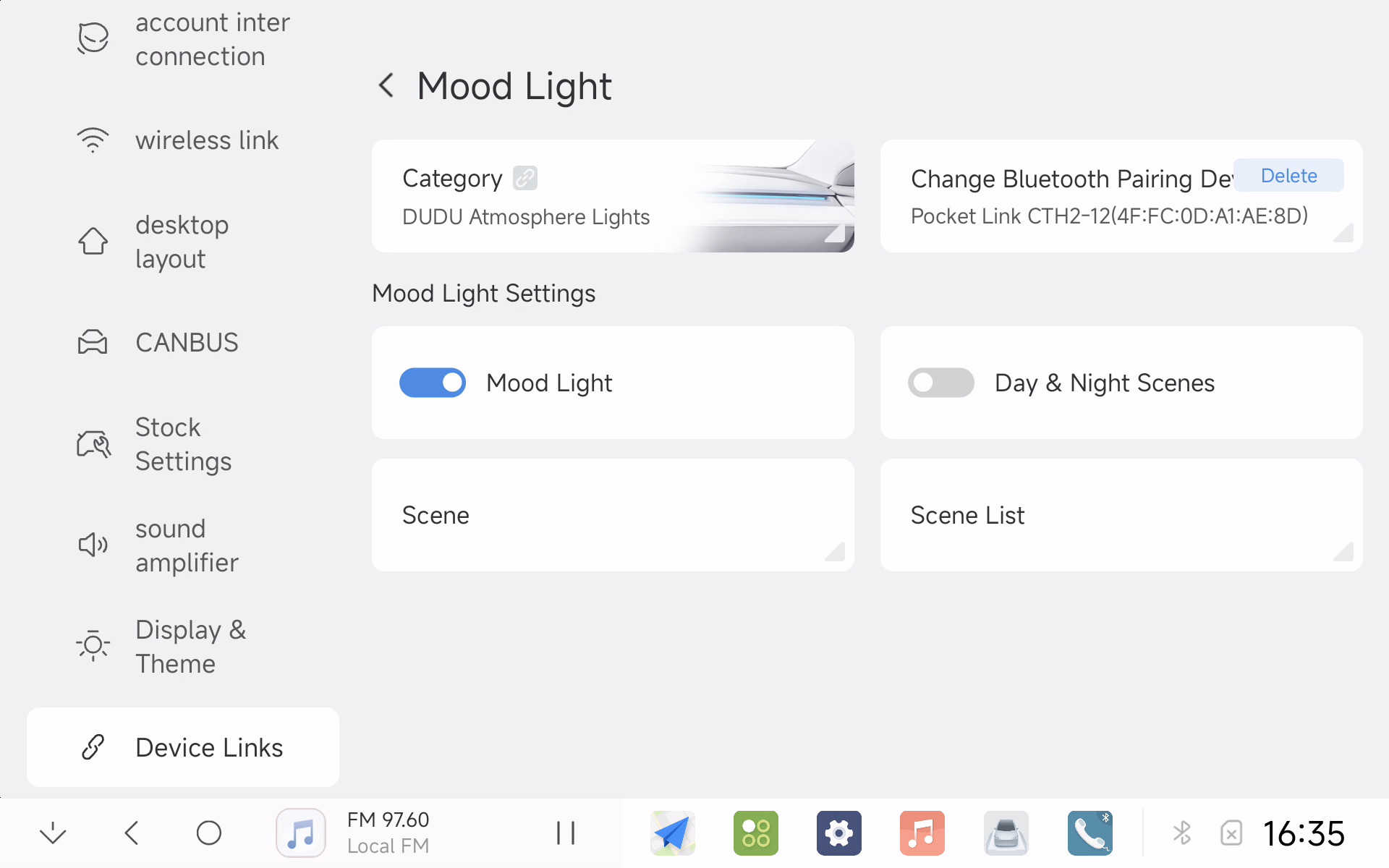
Select "DUDUAUTO Ambient Light" in ambient light types and pair Bluetooth device to use. Note that scene linking requires original vehicle CANBUS support, otherwise some scenes will be unavailable
【7】Mobile Phone Control Instructions
Scan QR code to download the APP. Note: The ambient light system can only connect to one device at a time - when using mobile phone control, head unit control will be unavailable